Video tutorials are a pain to do and mine, I realize now, pretty much stink. So, I'll leave them to this guy. He seems to do a pretty good job:
http://www.michaelthementor.com/
I think I'll stick to typing.
Showing posts with label videos. Show all posts
Showing posts with label videos. Show all posts
Thursday, April 24, 2008

Sunday, April 13, 2008
When Auto Mode Fails
I've posted about this experiment you can do before, but this time I'm posting about it in video form! :-)
This lesson will teach you why pictures of snow scenes tend to come out with the snow looking gray as well as why other pictures that are taken of overly light or dark scenes often don't come out the way we'd expect. I also go over how to compensate for it.
This lesson will teach you why pictures of snow scenes tend to come out with the snow looking gray as well as why other pictures that are taken of overly light or dark scenes often don't come out the way we'd expect. I also go over how to compensate for it.
Thursday, April 10, 2008
Selective Exposure Correction in GIMP
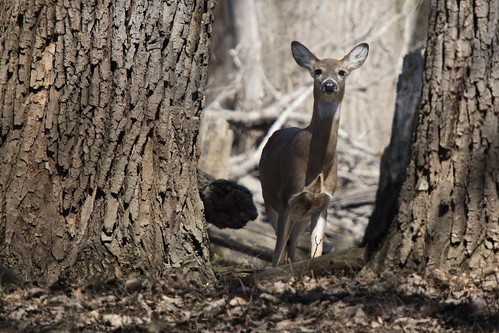
I took this photo in the middle of the afternoon in harsh sunlight so getting the exposure right was difficult. I tried several different exposures using exposure compensation and watching the histogram, but because much of the deer was in shadow compared to the full sunlight that the foreground was getting, I had to choose to expose for the deer and let the rest get a bit blown out. According to the histogram I was getting all the data, so I knew I could fix it in software later.
So, how did I fix it? Well, this is a first for me, but I made a video showing how I did it. I meant to upload it to Flickr to try out their new video upload capability, but it's over 90 seconds, so it went on YouTube instead:
...this was my first video ever and in retrospect I should have said what menus I was using as I clicked on them. Perhaps I'll get better at it over time.
Lasso Select tool: In toolbox window
Invert Selection: Under "Select" menu
Curves Tool: Under "Tools" menu > "Color Tools"
Subscribe to:
Posts (Atom)